 7b03fceaf8
- Reduce timeout from 5s to 500ms per directory
- Limit scan depth to 3 levels for quick size estimation
- Reduce max files scanned from 50k to 10k
- Results now appear in 1-2 seconds instead of minutes
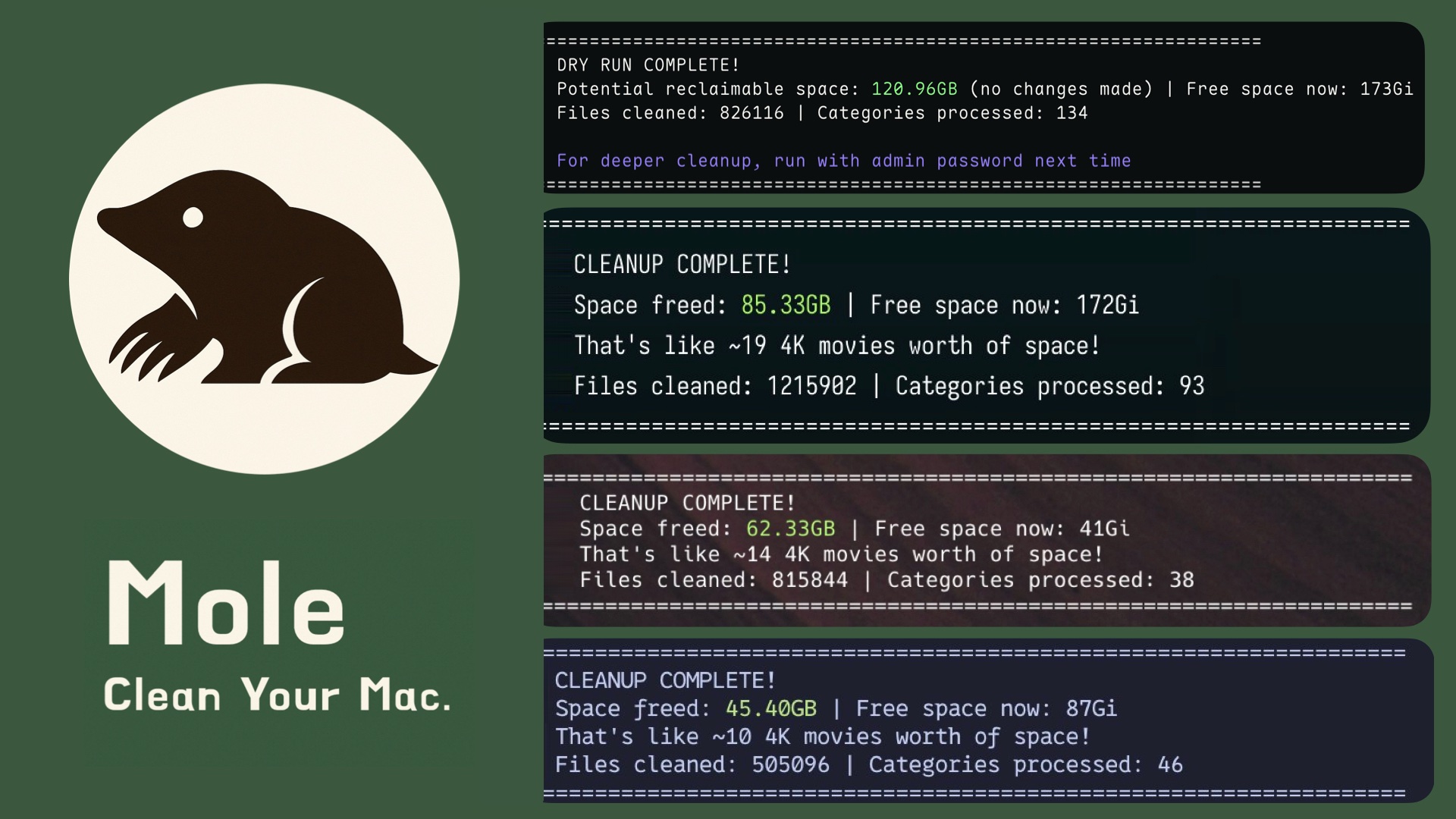
Mole
Deep clean and optimize your Mac.






Features
- Unified toolkit: Consolidated features of CleanMyMac, AppCleaner, DaisyDisk, and iStat into a single binary
- Deep cleaning: Scans and removes caches, logs, and browser leftovers to reclaim gigabytes of space
- Smart uninstaller: Thoroughly removes apps along with launch agents, preferences, and hidden remnants
- Disk insights: Visualizes usage, manages large files, rebuilds caches, and refreshes system services
- Live monitoring: Real-time stats for CPU, GPU, memory, disk, and network to diagnose performance issues
Quick Start
Install by Brew, recommended:
brew install mole
or by Script, for older macOS or latest code:
# Add '-s latest' for newest, '-s dev' for development, or '-s 1.17.0' for a version.
curl -fsSL https://raw.githubusercontent.com/tw93/mole/main/install.sh | bash
Run:
mo                           # Interactive menu
mo clean                     # Deep cleanup
mo uninstall                 # Remove apps + leftovers
mo optimize                  # Refresh caches & services
mo analyze                   # Visual disk explorer
mo status                    # Live system health dashboard
mo purge                     # Clean project build artifacts
mo installer                 # Find and remove installer files

mo touchid                   # Configure Touch ID for sudo
mo completion                # Setup shell tab completion
mo update                    # Update Mole
mo remove                    # Remove Mole from system
mo --help                    # Show help
mo --version                 # Show installed version

mo clean --dry-run           # Preview the cleanup plan
mo clean --whitelist         # Manage protected caches
mo clean --dry-run --debug   # Detailed preview with risk levels and file info

mo optimize --dry-run        # Preview optimization actions
mo optimize --debug          # Run with detailed operation logs
mo optimize --whitelist      # Manage protected optimization rules
mo purge --paths             # Configure project scan directories
Tips
- Terminal: iTerm2 has known compatibility issues; we recommend Alacritty, kitty, WezTerm, Ghostty, or Warp.
- Safety: Built with strict protections. See Security Audit. Preview changes with
mo clean --dry-run. - Debug Mode: Use
--debugfor detailed logs (e.g.,mo clean --debug). Combine with--dry-runfor comprehensive preview including risk levels and file details. - Navigation: Supports arrow keys and Vim bindings (
h/j/k/l). - Configuration: Run
mo touchidfor Touch ID sudo,mo completionfor shell tab completion,mo clean --whitelistto manage protected paths.
Features in Detail
Deep System Cleanup
$ mo clean

Scanning cache directories...

  ✓ User app cache                                           45.2GB
  ✓ Browser cache (Chrome, Safari, Firefox)                  10.5GB
  ✓ Developer tools (Xcode, Node.js, npm)                    23.3GB
  ✓ System logs and temp files                                3.8GB
  ✓ App-specific cache (Spotify, Dropbox, Slack)              8.4GB
  ✓ Trash                                                    12.3GB

====================================================================
Space freed: 95.5GB | Free space now: 223.5GB
====================================================================
Smart App Uninstaller
$ mo uninstall

Select Apps to Remove
═══════════════════════════
▶ ☑ Photoshop 2024            (4.2G) | Old
  ☐ IntelliJ IDEA             (2.8G) | Recent
  ☐ Premiere Pro              (3.4G) | Recent

Uninstalling: Photoshop 2024

  ✓ Removed application
  ✓ Cleaned 52 related files across 12 locations
    - Application Support, Caches, Preferences
    - Logs, WebKit storage, Cookies
    - Extensions, Plugins, Launch daemons

====================================================================
Space freed: 12.8GB
====================================================================
System Optimization
$ mo optimize

System: 5/32 GB RAM | 333/460 GB Disk (72%) | Uptime 6d

  ✓ Rebuild system databases and clear caches
  ✓ Reset network services
  ✓ Refresh Finder and Dock
  ✓ Clean diagnostic and crash logs
  ✓ Remove swap files and restart dynamic pager
  ✓ Rebuild launch services and spotlight index

====================================================================
System optimization completed
====================================================================

Use `mo optimize --whitelist` to protect specific optimization items from being run.
Disk Space Analyzer
$ mo analyze

Analyze Disk  ~/Documents  |  Total: 156.8GB

 ▶  1. ███████████████████  48.2%  |  📁 Library                     75.4GB  >6mo
    2. ██████████░░░░░░░░░  22.1%  |  📁 Downloads                   34.6GB
    3. ████░░░░░░░░░░░░░░░  14.3%  |  📁 Movies                      22.4GB
    4. ███░░░░░░░░░░░░░░░░  10.8%  |  📁 Documents                   16.9GB
    5. ██░░░░░░░░░░░░░░░░░   5.2%  |  📄 backup_2023.zip              8.2GB

  ↑↓←→ Navigate  |  O Open  |  F Show  |  ⌫ Delete  |  L Large files  |  Q Quit
Live System Status
Real-time dashboard with system health score, hardware info, and performance metrics.
$ mo status

Mole Status  Health ● 92  MacBook Pro · M4 Pro · 32GB · macOS 14.5

⚙ CPU                                    ▦ Memory
Total   ████████████░░░░░░░  45.2%       Used    ███████████░░░░░░░  58.4%
Load    0.82 / 1.05 / 1.23 (8 cores)     Total   14.2 / 24.0 GB
Core 1  ███████████████░░░░  78.3%       Free    ████████░░░░░░░░░░  41.6%
Core 2  ████████████░░░░░░░  62.1%       Avail   9.8 GB

▤ Disk                                   ⚡ Power
Used    █████████████░░░░░░  67.2%       Level   ██████████████████  100%
Free    156.3 GB                         Status  Charged
Read    ▮▯▯▯▯  2.1 MB/s                  Health  Normal · 423 cycles
Write   ▮▮▮▯▯  18.3 MB/s                 Temp    58°C · 1200 RPM

⇅ Network                                ▶ Processes
Down    ▮▮▯▯▯  3.2 MB/s                  Code       ▮▮▮▮▯  42.1%
Up      ▮▯▯▯▯  0.8 MB/s                  Chrome     ▮▮▮▯▯  28.3%
Proxy   HTTP · 192.168.1.100             Terminal   ▮▯▯▯▯  12.5%
Health score based on CPU, memory, disk, temperature, and I/O load. Color-coded by range. Press k to hide/show cat, q to quit.
Project Artifact Purge
Clean old build artifacts (node_modules, target, build, dist, etc.) from your projects to free up disk space.
mo purge

Select Categories to Clean - 18.5GB (8 selected)

➤ ● my-react-app       3.2GB | node_modules
  ● old-project        2.8GB | node_modules
  ● rust-app           4.1GB | target
  ● next-blog          1.9GB | node_modules
  ○ current-work       856MB | node_modules  | Recent
  ● django-api         2.3GB | venv
  ● vue-dashboard      1.7GB | node_modules
  ● backend-service    2.5GB | node_modules
Use with caution: This will permanently delete selected artifacts. Review carefully before confirming. Recent projects (< 7 days) are marked and unselected by default.
Custom Scan Paths
Run mo purge --paths to configure which directories to scan, or edit ~/.config/mole/purge_paths directly:
~/Documents/MyProjects
~/Work/ClientA
~/Work/ClientB
When custom paths are configured, only those directories are scanned. Otherwise, defaults to ~/Projects, ~/GitHub, ~/dev, etc.
Installer Cleanup
Find and remove large installer files scattered across Downloads, Desktop, Homebrew caches, iCloud, and Mail. Each file is labeled by source to help you know where the space is hiding.
mo installer

Select Installers to Remove - 3.8GB (5 selected)

➤ ● Photoshop_2024.dmg     1.2GB | Downloads
  ● IntelliJ_IDEA.dmg       850.6MB | Downloads
  ● Illustrator_Setup.pkg   920.4MB | Downloads
  ● PyCharm_Pro.dmg         640.5MB | Homebrew
  ● Acrobat_Reader.dmg      220.4MB | Downloads
  ○ AppCode_Legacy.zip      410.6MB | Downloads
Quick Launchers
Launch Mole commands instantly from Raycast or Alfred:
curl -fsSL https://raw.githubusercontent.com/tw93/Mole/main/scripts/setup-quick-launchers.sh | bash
Adds 5 commands: clean, uninstall, optimize, analyze, status. Mole automatically detects your terminal, or you can set MO_LAUNCHER_APP=<name> to override. For Raycast, if this is your first script directory, add it in Raycast Extensions (Add Script Directory) and then run "Reload Script Directories" to load the new commands.
Community Love

Users from around the world are loving Mole! Join the community and share your experience.
Support
- If Mole saved you space, consider starring the repo or sharing it with friends who need a cleaner Mac.
- Have ideas or fixes? Check our Contributing Guide, then open an issue or PR to help shape Mole's future.
- Love cats? Treat Tangyuan and Cola to canned food via this link to keep our mascots purring.
License
MIT License - feel free to enjoy and participate in open source.